Browse like Stremio · Watch in Plex
Everything StreamBridge does.
Browse Stremio movie and series catalogs in a Mac app, then watch in Plex on every device. StreamBridge finds the streams, adds titles to your library and keeps playback going.
The core
Movies in Plex, not on your drive
A movie you add appears in your Plex library like any other title. When you press play, it streams. The full file never lands on your Mac; StreamBridge keeps about 25 MB per title so scans and starts are quick. A hundred 4K movies take a few gigabytes. How it works →
The core
Playback that keeps going
StreamBridge picks a source that can start right away. If its link expires mid-movie, StreamBridge gets a fresh one without stopping playback.
The core
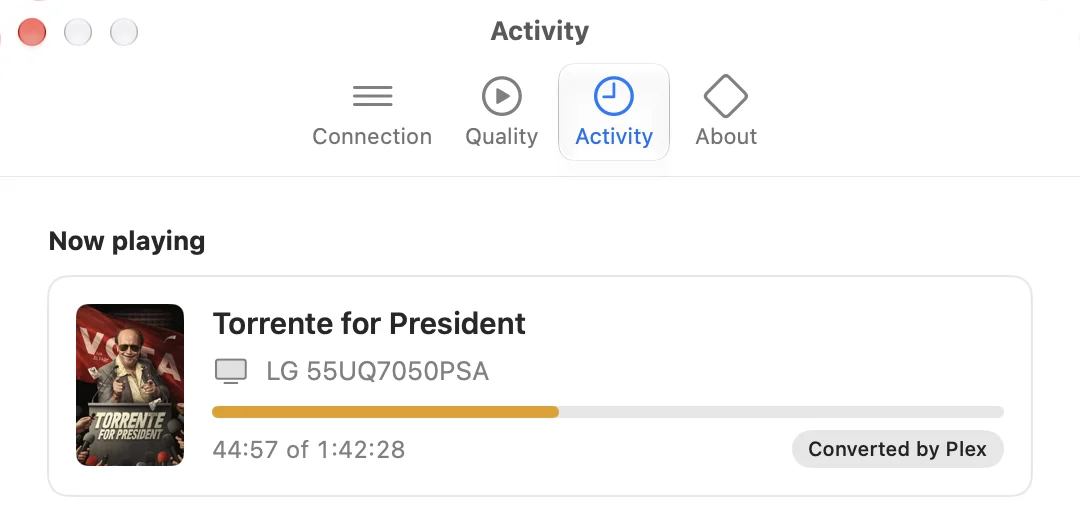
See what's playing
Settings shows what's playing on which TV, how far in, and whether Plex is converting it. The day's plays and additions are listed below.
Getting set up
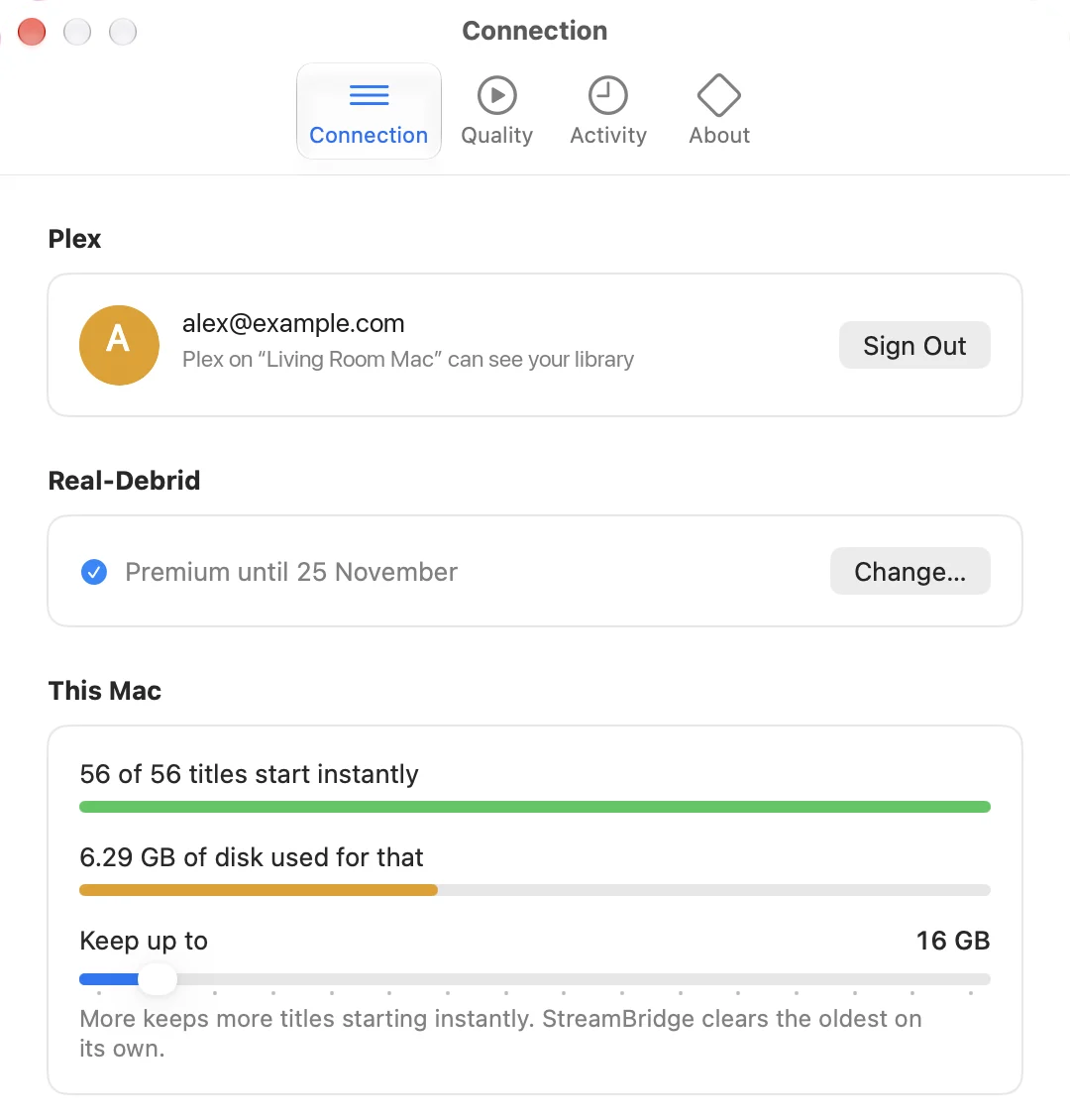
Connects to your Plex server
Use the Plex server you already have, on the same Mac or elsewhere on your network. You sign in to Plex in your own browser, so StreamBridge never sees your password. Then pick the server from a list.
Getting set up
Bring your own Real-Debrid
Streams come from your Real-Debrid account. Paste your API key once. It's stored on your Mac.
Finding things
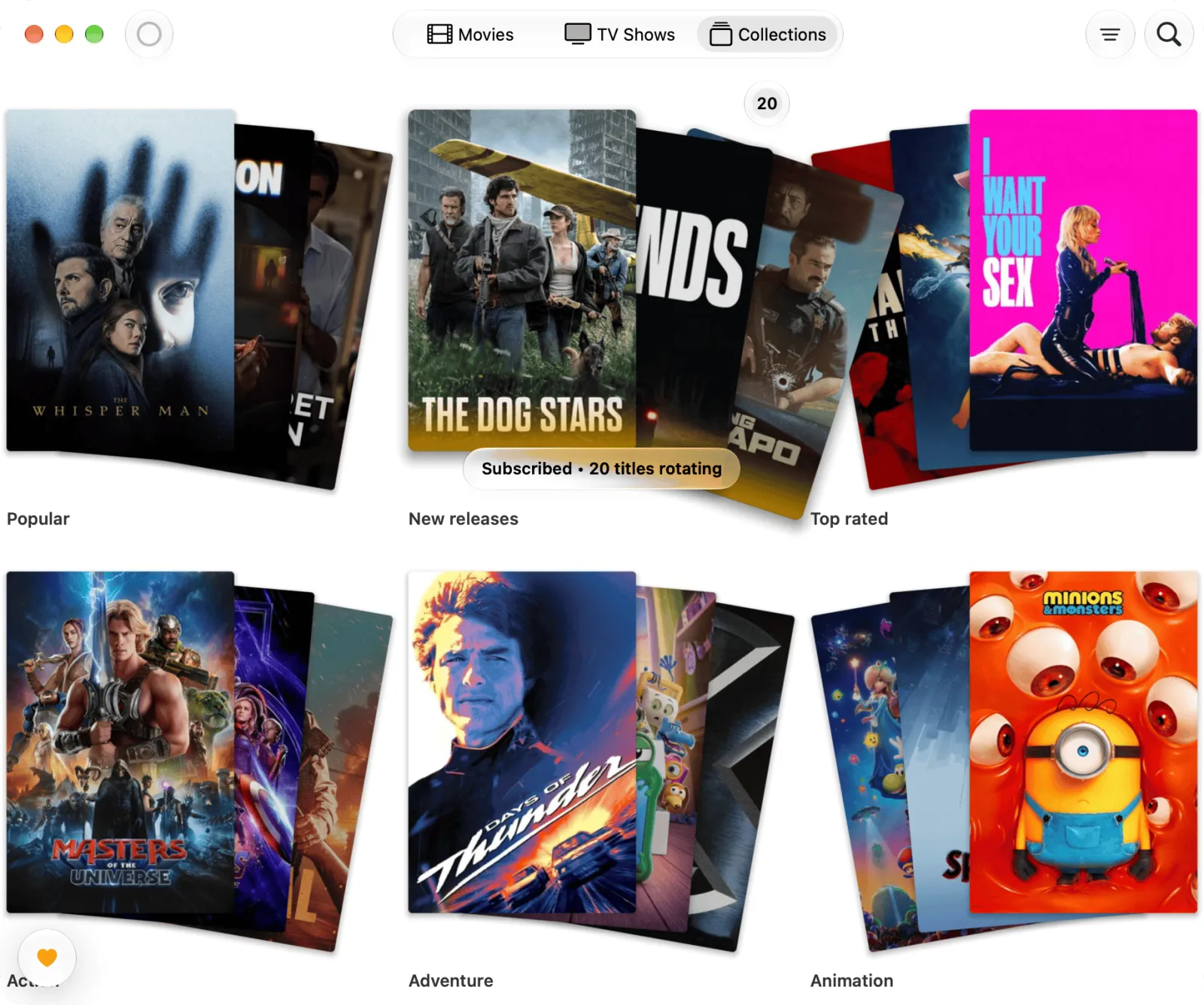
Stremio catalogs
Follow Stremio movie and series catalogs: Popular, New releases, Top rated, or any genre. They refresh on their own, and you can refresh one by hand at any time. Browsing happens in a native Mac app, not a website.
Finding things
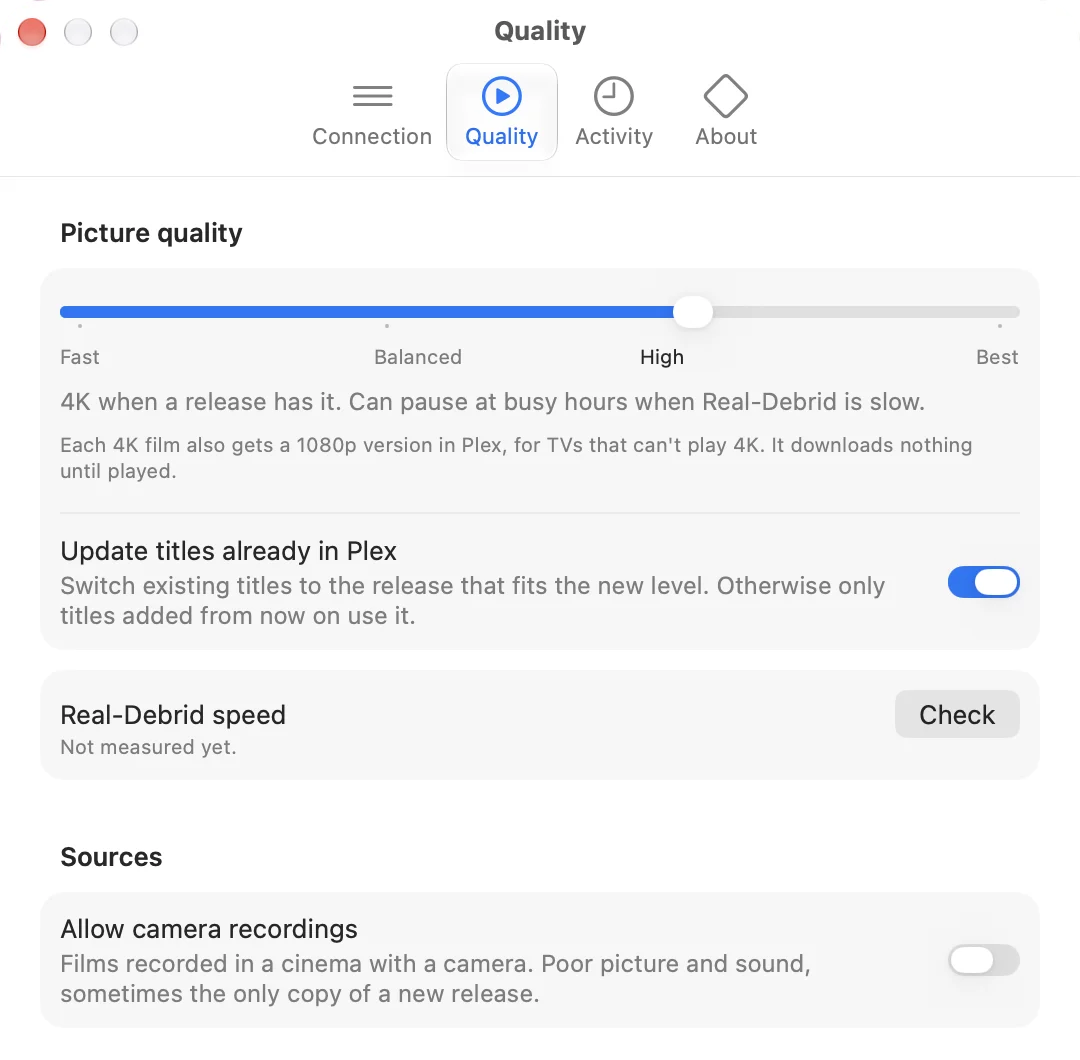
Automatic stream picking
Set one slider in Settings: Fast, Balanced, High or Best. StreamBridge checks your Real-Debrid speed and picks the stream for you, so you never see a list of links.
Finding things
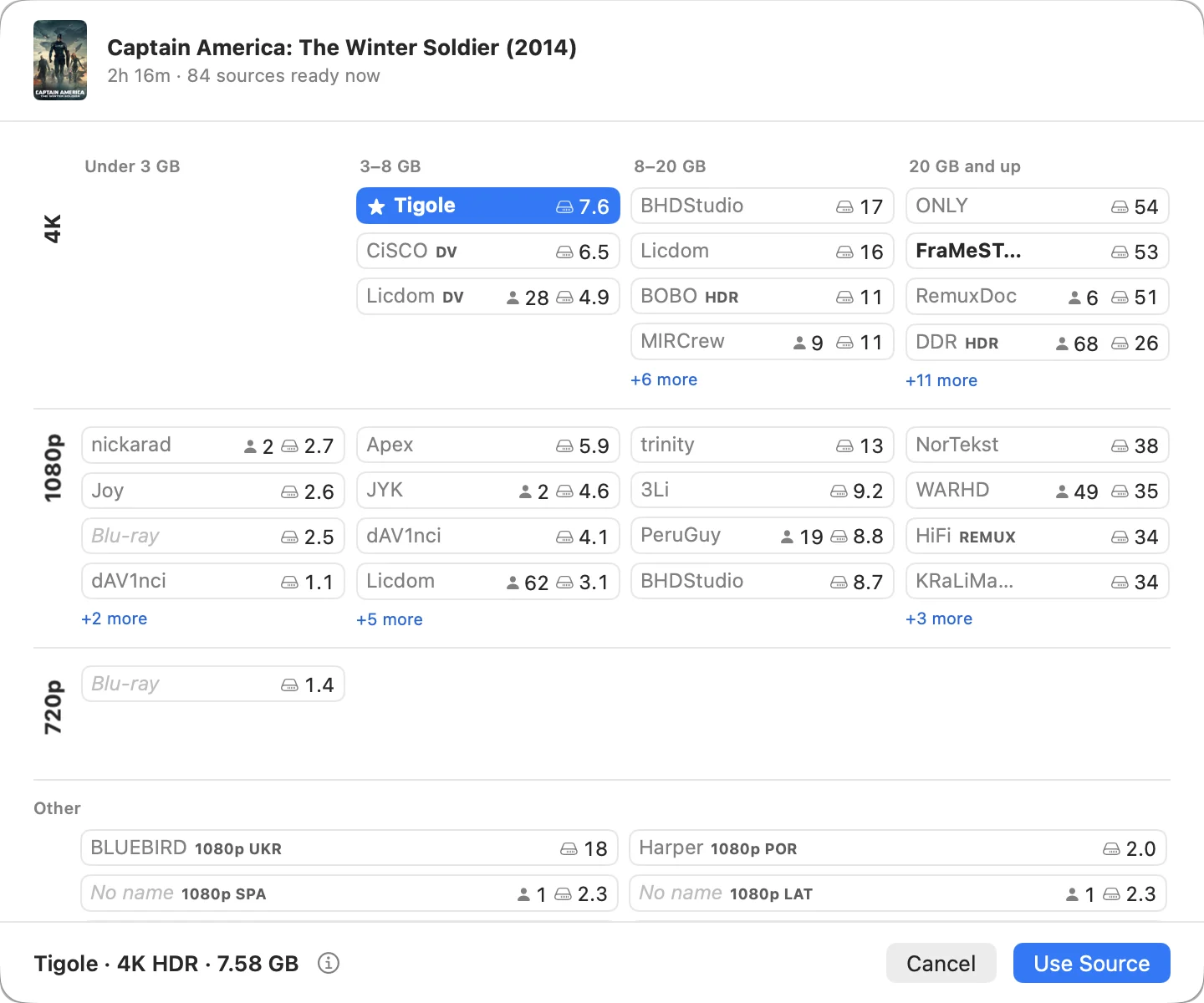
Choose a source yourself
Choose Source lays out every source by resolution and size, with StreamBridge's pick starred. Each one shows how big it is and how many people share it. A release whose name doesn't state its resolution is read from the file and put in the right row.
Finding things
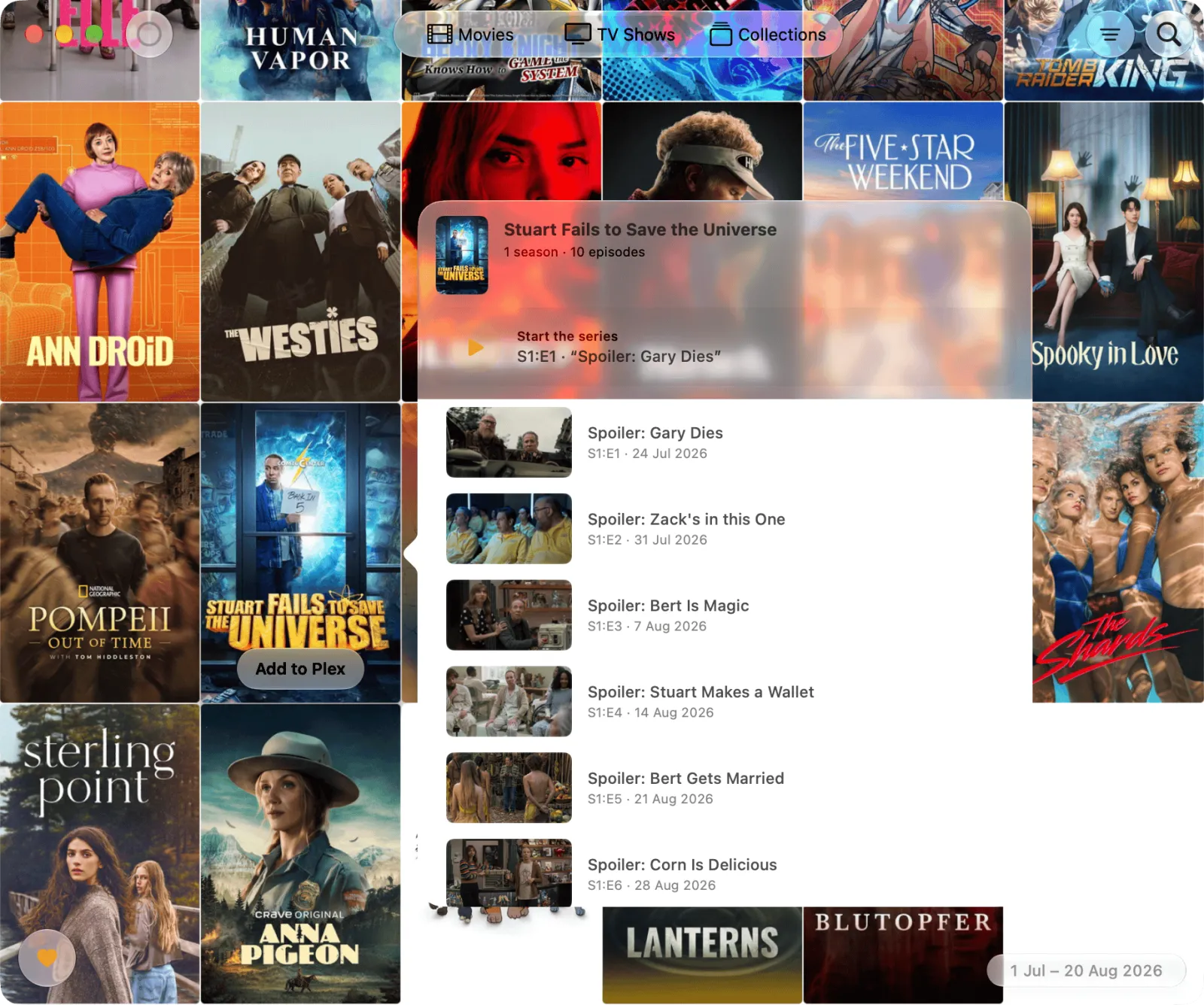
TV series
Shows appear in Plex with seasons, episodes and artwork. Open a series to see its episodes and start anywhere. StreamBridge prepares the next episode while you watch. Automatic subtitles are movies-only for now; episodes are on the roadmap →
Organizing
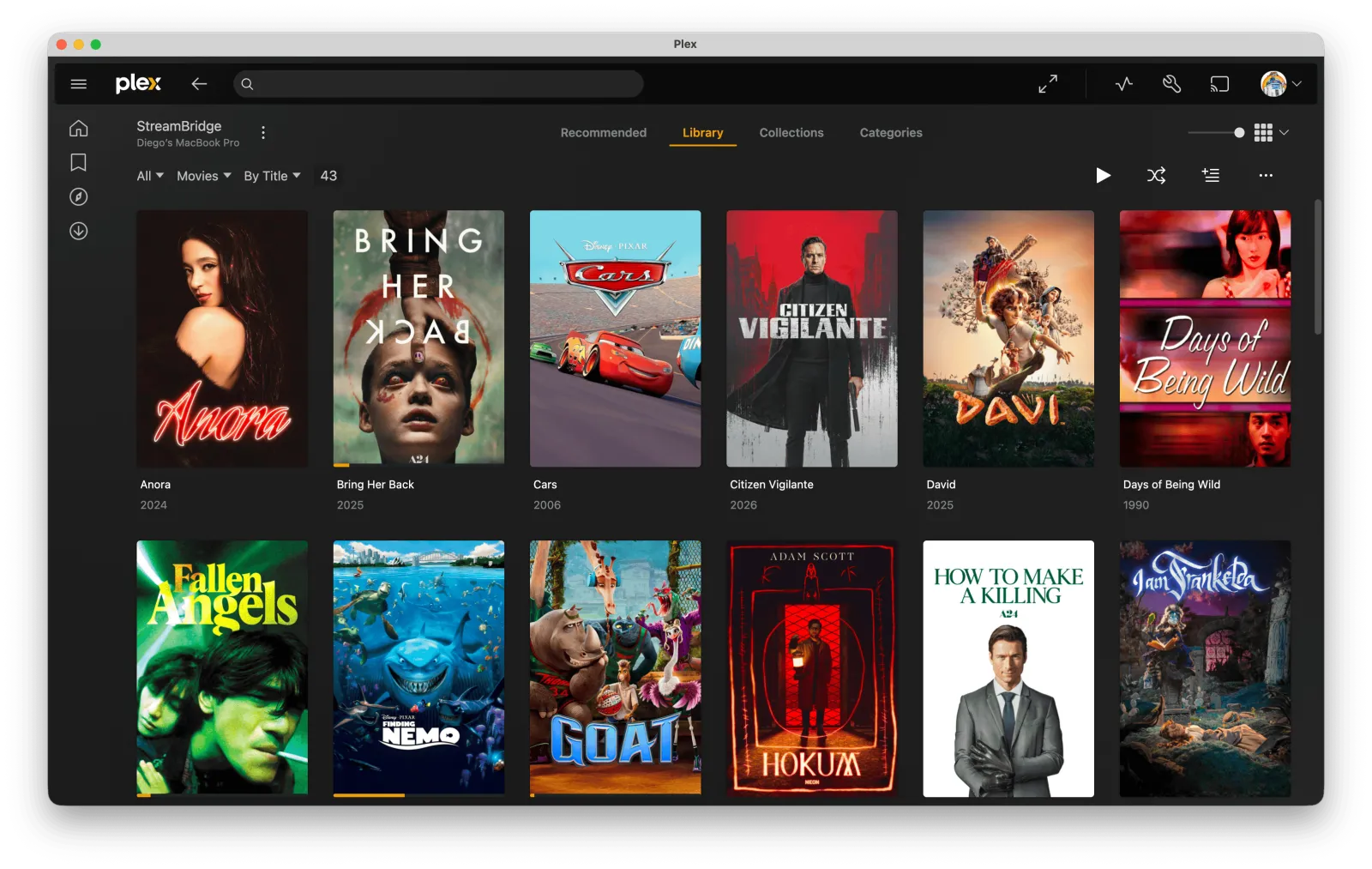
Collections that update themselves
Each catalog you follow becomes a Plex collection and stays current. Titles appear in your library right away. Get one ready by opening it, or let StreamBridge prepare the whole collection in the background. On the TV, you browse these collections in Plex.
Organizing
Your Plex Watchlist
Every install includes a Watchlist collection. Add a movie or show to your Plex Watchlist from any Plex app and StreamBridge adds it to your library, ready to play. Remove it from the Watchlist and it leaves your library too.
Subtitles · Pro
Automatic subtitles
Pick a language on a movie. StreamBridge finds the subtitle made for that release, checks its timing against a short sample of the film's audio, and saves the file next to the movie, where every Plex app finds it. If nobody has made one in your language, it translates the best one it found. Pick two languages and both appear on screen, one above the other.
Once one person's Mac has done a film, everyone else who adds the same release gets its subtitles in seconds. Pro includes a monthly allowance for new subtitle runs; films already done by someone else don't count. How subtitles work →
The app
A native Mac app
StreamBridge has windows for browsing catalogs and managing collections, and a Settings window. There are no config files to edit.
The app
Privacy
There's no account to create. Your Plex sign-in happens in your browser, and your logins, library and viewing history stay on your Mac. Besides your streams and update checks, the app only contacts us for Pro subtitles: it sends the film's ID, a short audio clip and the subtitle text. What we keep →
The app
Updates
StreamBridge checks for updates and offers to install them. Every update is signed and verified before it installs.
The app
Pricing
StreamBridge is free to use. Pro is a one-time purchase that adds unlimited collections and automatic subtitles.
See pricing →