A bottomless Plex library that doesn't fill your drive.
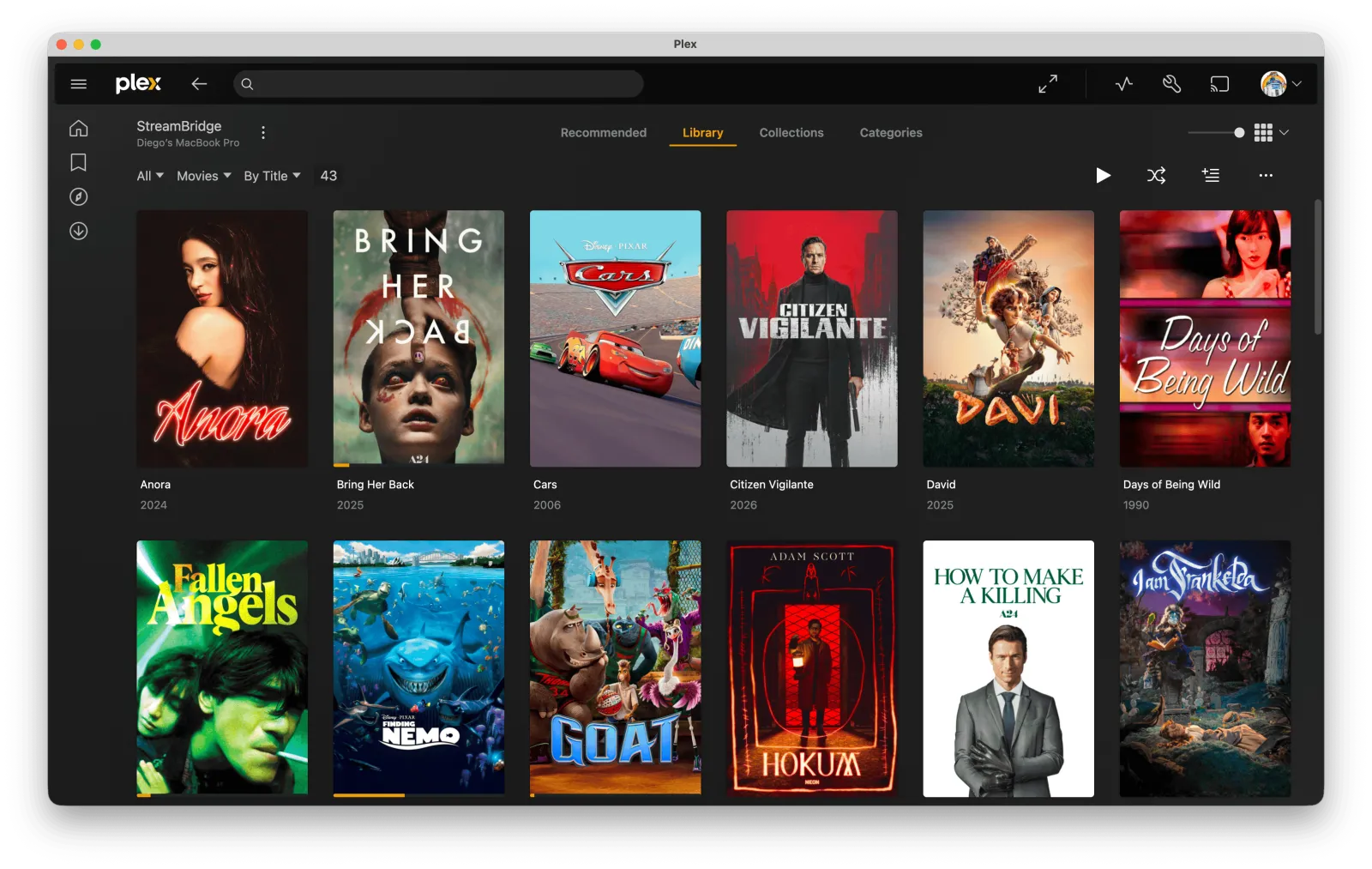
Browse Stremio catalogs on your Mac and watch in Plex on every device. Add a movie and it appears in your library. It streams from your Real-Debrid account while you watch.

Your Plex library, without the storage.
Browse Stremio movie and series catalogs in the Mac app and add what you want to watch. It shows up in your Plex library. Each catalog you follow becomes a Plex collection that updates itself, so on the TV you browse it in Plex, with the app and remote you already use.
Nothing is downloaded ahead of time. StreamBridge finds a stream when you add a title and fetches the video as Plex plays it. If a link expires mid-movie, it gets a new one. There's no server to rent, no account to create, and nothing to install on your TV.
You need a Plex server and a Real-Debrid account. A Mac mini next to the Plex server makes a good always-on home for it.
Subtitles, before you press play.
Pick one or two languages on a movie. StreamBridge finds the subtitle made for that release, checks its timing against the film's audio, and translates it if nobody has made one in your language. The file is saved where Plex finds it, so it works in every Plex app. With two languages, both appear on screen at once.
How subtitles work →
Questions
- Can I use Stremio with Plex? Yes. Follow Stremio movie and series catalogs in the Mac app, then browse them as collections in Plex on your TV or phone. You don't need Stremio where you watch. Stremio with Plex →
- Does it store movies on disk? No. Movies stream while you watch. StreamBridge keeps about 25 MB per title so playback starts quickly. How it works →
- What do I need? A Mac, Plex and Real-Debrid. StreamBridge runs on the Mac and adds a library to the Plex server you already have. Streams come from your own Real-Debrid account.
- Do I need to install anything in Plex? No. Plex sees a normal library folder.
- Does it support TV series? Yes. Shows appear in Plex with seasons and episodes, and the next episode is prepared while you watch. Added in 2.0 →
- Does it do subtitles? Yes, with Pro. It finds, times and translates subtitles for movies, and can show two languages at once. How subtitles work →
- Does it work on my TV and phone? Yes. It works anywhere Plex does.
- Is it a subscription? No. It's free to use. Pro is a one-time purchase.
- What goes through your servers? Only subtitle work. Your library, streams and viewing history stay on your Mac. For Pro subtitles, the film's ID, a short audio clip and the subtitle text go through our relay to be timed and translated.