Subtitles · Pro
Pick a language. Subtitles are on before you press play.
Choose one or two languages on any movie in your library and StreamBridge finds the best subtitle for that exact release, checks its timing against the film's own audio, translates it when nobody has made one in your language, and saves the file where Plex finds it. On every Plex app you own, with the remote you already have.
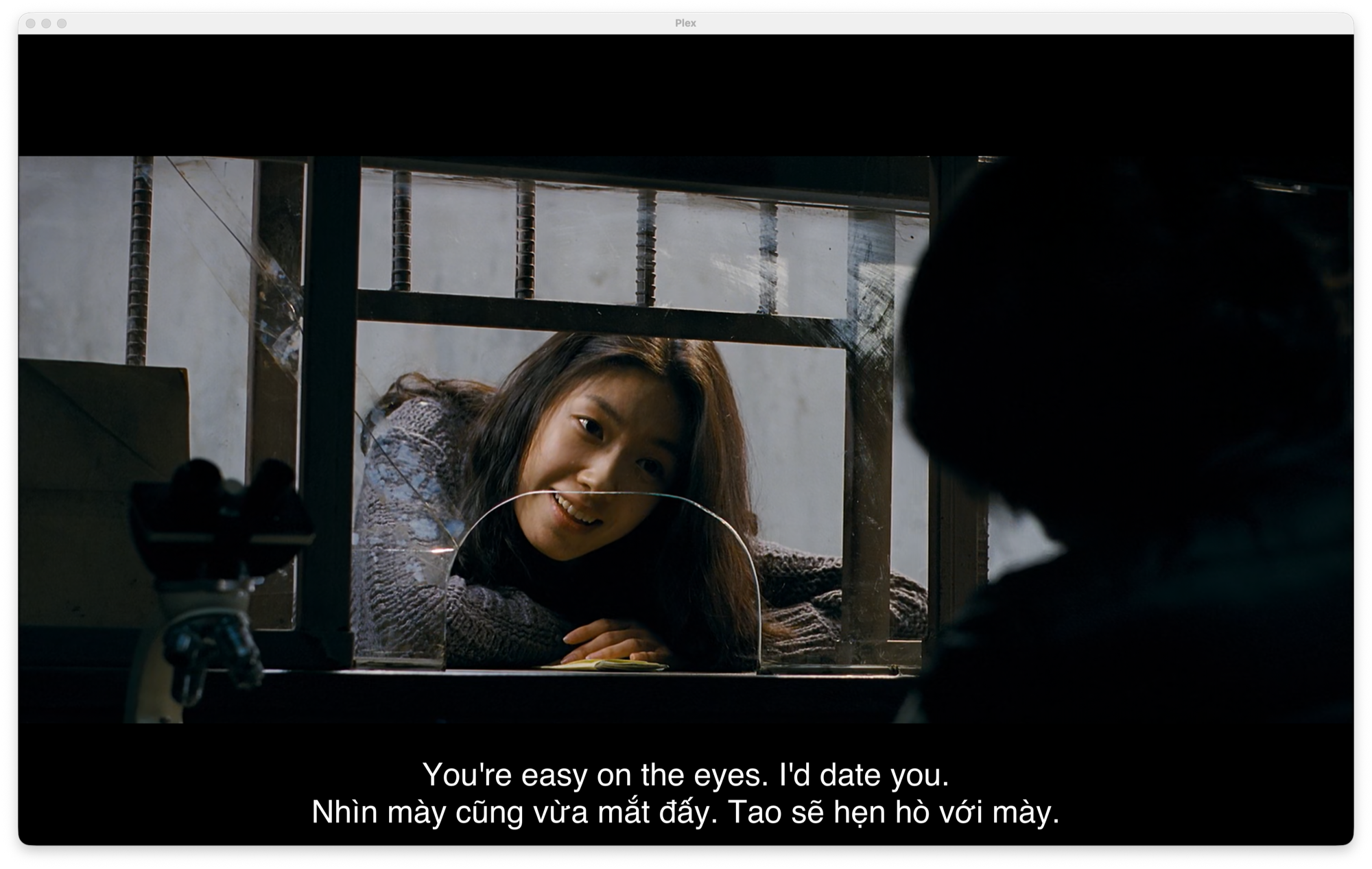
Two languages, one screen
Pick a second language and both go on screen at once, one line above the other. A couple where only one of you speaks the language, a parent who wants the kids reading, or you, learning Vietnamese from a Korean thriller. Everyone on the couch reads the same movie. Plex shows it as a single subtitle track, so it works on the TV, the phone and the tablet without any setup on those devices.
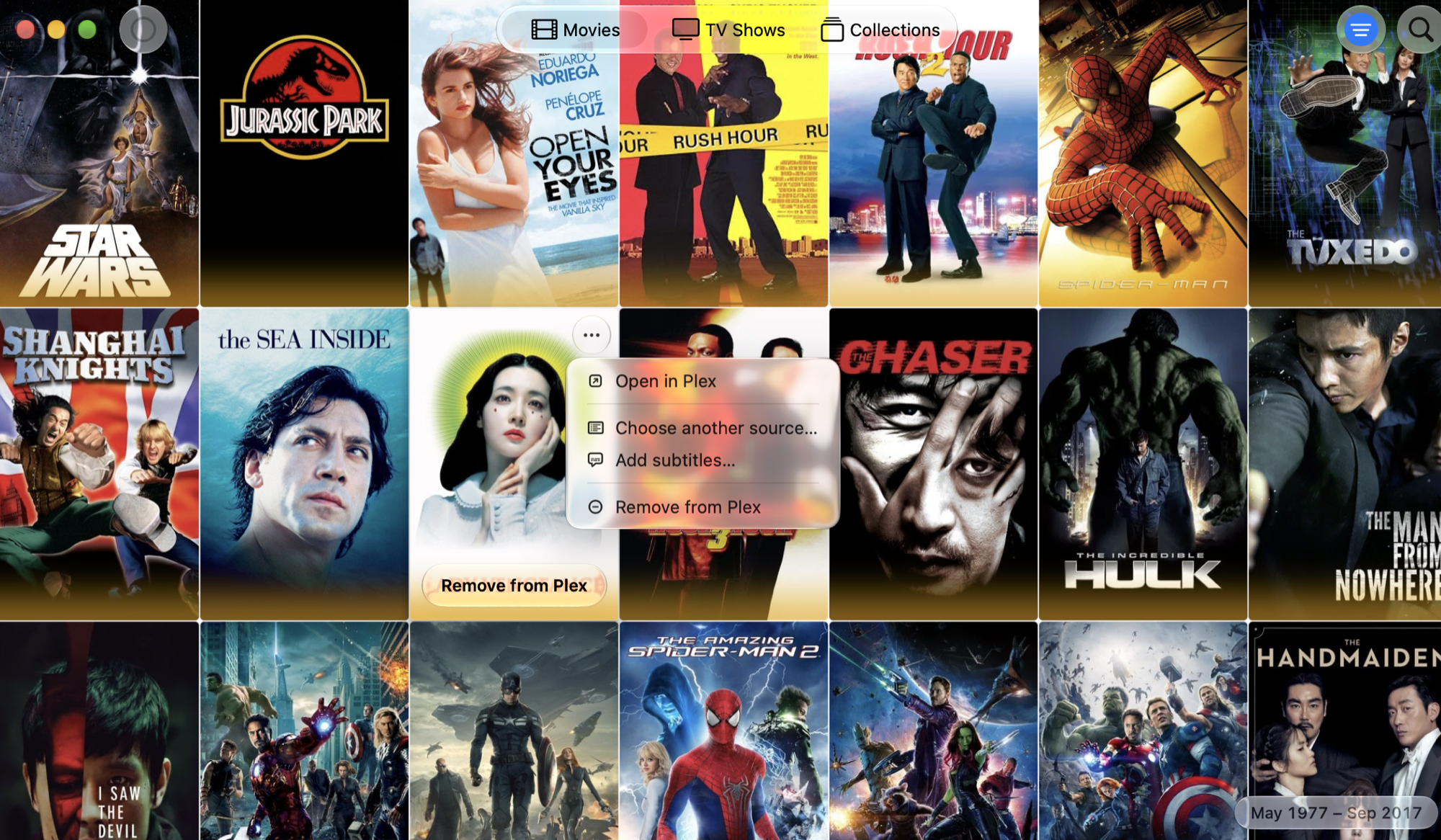
One click, then it's done
Hover a poster, choose Add subtitles, pick a language or two, and close the window. The run carries on in the background and takes a few minutes. There is no subtitle site to search, no file to rename, no folder to find. When it's done, the subtitle is already next to the movie in Plex.
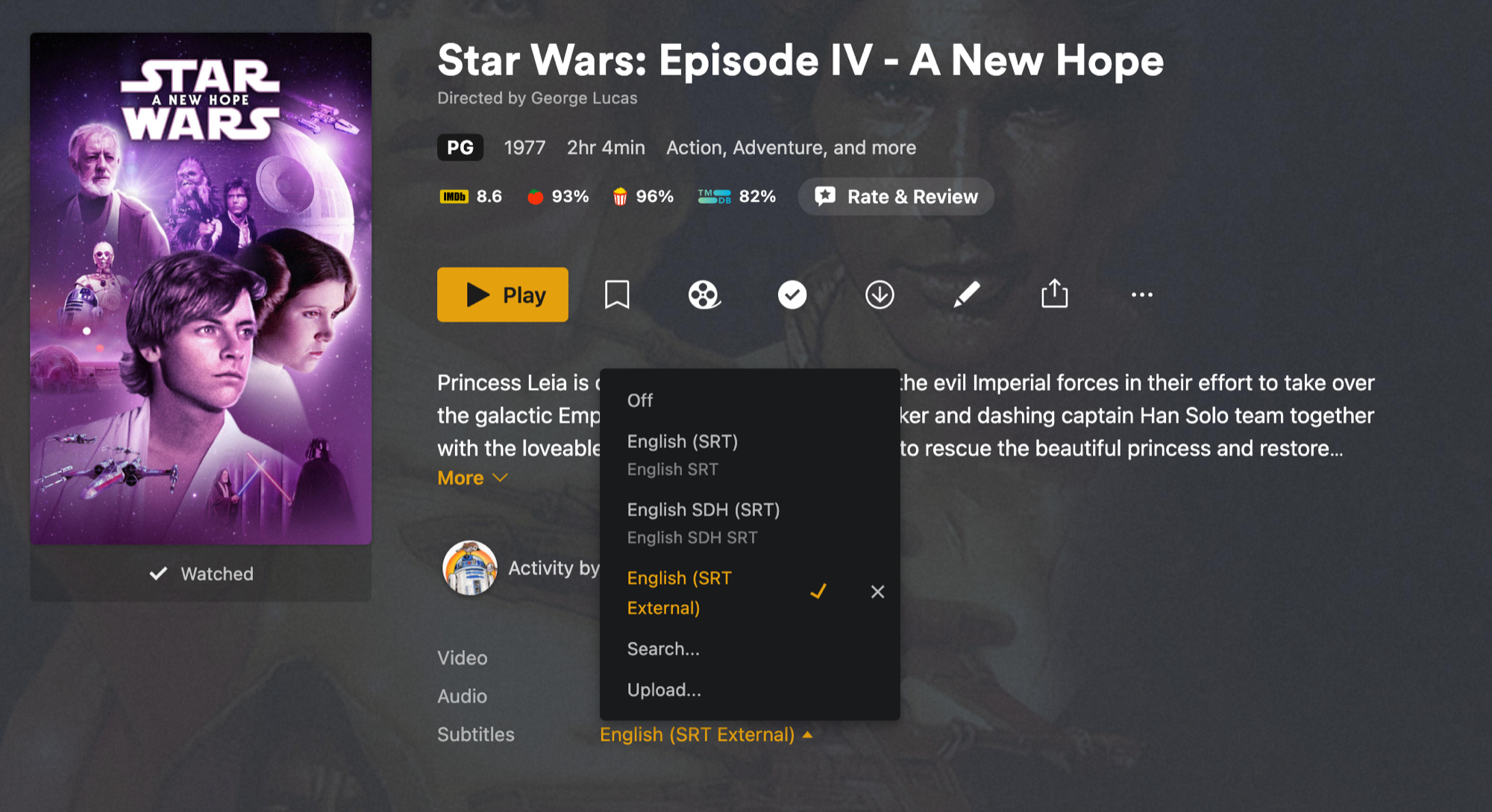
In Plex, it's just a subtitle track
The file is saved next to the movie, so Plex lists it in the subtitle picker alongside whatever the release already carried. Nothing to enable, nothing to configure on the TV or the phone. Turn it on once and every Plex app remembers.
Found for the exact release
Subtitles made for one cut of a film drift on another. StreamBridge searches by the release you're actually streaming, not just the title, so the track it picks was made for those frames. When several candidates exist, it prefers the one whose timing matches best.
Timed against the film's own audio
Even a good match can be a second off, which is enough to make a joke land late. StreamBridge takes a short sample of the film's audio, lines the dialogue up with the subtitle, and shifts or stretches the track until the lines land on the words. You never touch a sync offset in Plex again.
Translated when your language is missing
Plenty of films have English and Spanish subtitles and nothing else. When nobody has made a track in your language, StreamBridge translates the best one it found, keeping the timing it already checked. The result is saved like any other subtitle, so Plex treats it the same.
What leaves your Mac
To time and translate, StreamBridge sends a short audio sample and the subtitle text through our relay. Nothing about you, your library or what you watch goes with it. Private by design →
Why it's Pro
Timing and translating a film costs us real money per run, so subtitles are part of StreamBridge Pro. Pro is a one-time purchase, not a subscription. Streaming, browsing, movies and TV series stay free for everyone. See pricing →
By language
Spanish · French · Italian · Polish · Turkish · Vietnamese · Japanese · Korean
What's next
Subtitles for TV episodes, browsing the alternatives when the automatic pick isn't the one you wanted, and a default language pair so every new movie gets subtitles as it lands in Plex. See the roadmap →