Subtitles · Italiano
Italian subtitles in Plex, before you press play.
Pick Italian on any movie in your library and StreamBridge finds the best Italian subtitle for that exact release, checks its timing against the film's own audio, and saves it where Plex finds it. When nobody has made a Italian track, it translates the best one it found. On every Plex app you own.
Italian, specifically
Italian fan-made tracks are common for series and rare for older films, which is exactly where translation fills the gap.
Italian and English on screen at once
Pick Italian and English together and both go on screen as one track, one line above the other. A household where one of you reads Italian and the other doesn't, a parent who wants the kids following along, or you, learning Italian from a film you already love. Everyone on the couch reads the same movie.
Found, timed, translated
StreamBridge searches by the release you're actually streaming, not just the title, so the Italian track it picks was made for those frames. It then takes a short sample of the film's audio, lines the dialogue up with the subtitle, and shifts or stretches the track until the lines land on the words. If the search comes back empty, it translates the best track it found into Italian, keeping the timing it already checked. The full run, step by step →
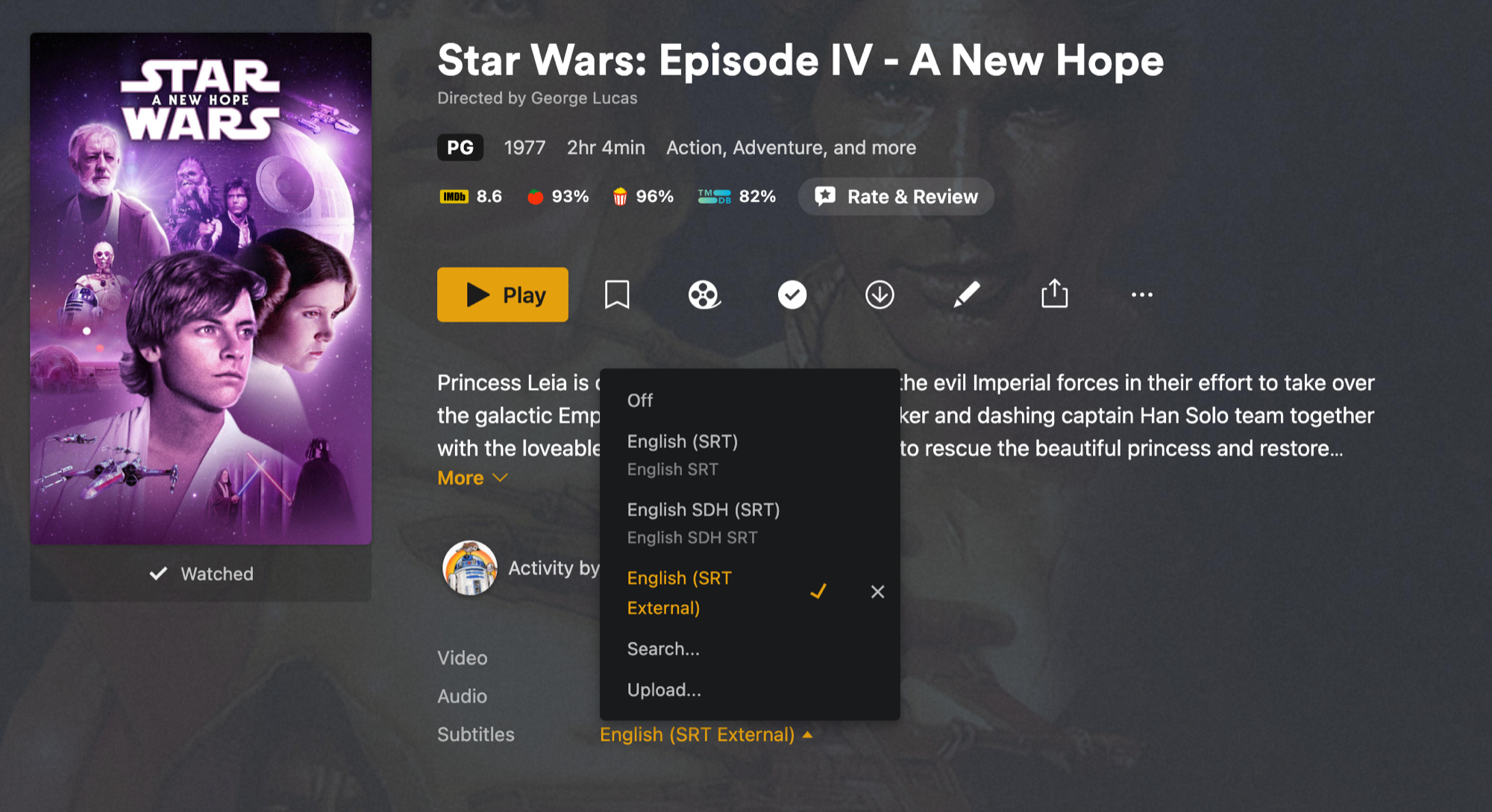
In Plex, it's just a subtitle track
The file is saved next to the movie, so Plex lists Italian in the subtitle picker like any other track. Nothing to enable on the TV or the phone. Turn it on once for La Dolce Vita and every Plex app remembers.
Part of Pro
Timing and translating a film costs us real money per run, so subtitles are part of StreamBridge Pro, a one-time purchase. Streaming, browsing, movies and TV series stay free for everyone. See pricing →
Other languages
Spanish · French · Polish · Turkish · Vietnamese · Japanese · Korean